Not all warehouse management systems are built the same. If you’re trying to pick the right one for your operation, knowing the four main types of WMS can save you months of trial and error-and thousands in wasted software costs. The wrong choice can mean missed shipments, overstocked bins, or staff spending hours just finding items. The right one? It runs like clockwork, even when your order volume spikes during peak season.
Standalone WMS
This is the most basic type of warehouse management system. Think of it as a dedicated tool that does one thing really well: track inventory and manage picking, packing, and shipping. It doesn’t talk to your ERP, accounting software, or e-commerce platform. You enter data manually or import files from spreadsheets.
Standalone WMS is common in small warehouses with under 50,000 SKUs and fewer than 20 employees. It’s affordable-often under $5,000 per year-and easy to set up. But it has limits. If you’re growing, or if you need real-time updates between sales and stock levels, this system will slow you down. You’ll end up double-entering orders, mismatching shipments, and chasing down discrepancies between your sales dashboard and warehouse floor.
Companies using standalone WMS today usually have simple operations: local distributors, small fulfillment centers, or businesses that ship mostly bulk orders. If your warehouse doesn’t connect to online stores or automated manufacturing systems, this might still work. But if you’re scaling, it’s a temporary fix.
WMS as Part of an ERP System
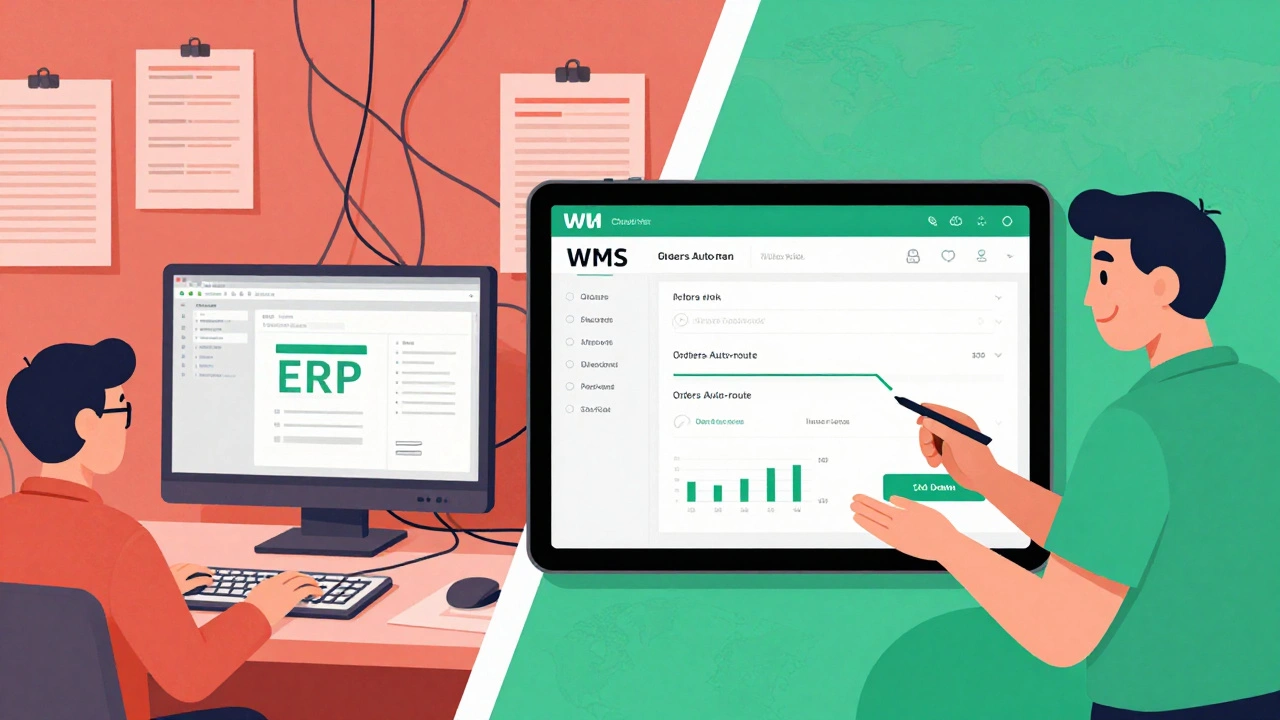
Many businesses start with an ERP-like SAP, Oracle, or Microsoft Dynamics-and assume the built-in warehouse module is enough. It’s not. These modules are often basic, designed to handle inventory tracking for a single location, not complex fulfillment workflows.
ERP-integrated WMS works best for manufacturers or distributors that already rely heavily on their ERP for finance, procurement, and production planning. If your warehouse is just one part of a larger operation, and you don’t need advanced features like wave picking, slotting optimization, or labor management, this might be sufficient.
But here’s the catch: ERP WMS modules are rarely built for speed or flexibility. They’re rigid. If you need to add a new packing rule, change a barcode format, or integrate with a shipping carrier’s API, you’ll likely need custom development-and that costs more than buying a dedicated system. Many companies regret choosing this route when they hit growth barriers. The system doesn’t break, but it doesn’t scale either.
WMS Integrated with Supply Chain Platforms
This is where modern warehouses live. Integrated WMS connects directly to supply chain platforms like Blue Yonder, Kinaxis, or Oracle SCM Cloud. These systems don’t just manage your warehouse-they optimize the entire flow from supplier to customer.
They use real-time data to predict demand, suggest optimal stock levels across multiple locations, and even reroute shipments if a truck is delayed. They talk to your transportation management system (TMS), your warehouse robots, and your e-commerce platforms. If you’re running a multi-warehouse operation with 10+ locations or handling 10,000+ orders daily, this is the only type that makes sense.
These systems are expensive-often $50,000 to $200,000 annually-and require serious implementation time. But they’re built for complexity. A retailer using this type can automatically shift inventory from a slow-moving store to a high-demand fulfillment center based on live sales data. A 3PL provider can handle 20 different client workflows without mixing up orders.
If your business is growing fast, or if you serve big brands like Amazon, Walmart, or Target, you’re already using or will need this type. It’s not just software-it’s your operational backbone.

Cloud-Based WMS (SaaS)
Cloud-based WMS is the fastest-growing type today. It’s hosted online, accessed through a browser, and billed monthly. No servers to install. No IT team to hire. Updates happen automatically. You pay for what you use.
Popular options include Fishbowl, NetSuite WMS, Zoho Inventory, and Sortly. These systems are ideal for e-commerce sellers, small 3PLs, or businesses with seasonal spikes. They connect easily to Shopify, WooCommerce, Amazon, and eBay. You can set up barcode scanning with a cheap Android tablet and a Bluetooth scanner in under an hour.
Cloud WMS excels in flexibility. Need to add a new warehouse in Australia? Done. Want to switch carriers from FedEx to DHL? One click. Need to track returns or manage lot numbers for perishables? Built-in features. Most offer mobile apps so staff can scan items from anywhere in the warehouse using their phones.
Costs range from $100 to $1,500 per month, depending on features and volume. The biggest advantage? No long-term contracts. You can try it for a month, see if it fits, and switch without penalties. For most small to mid-sized businesses, this is the smartest choice in 2026.
Which Type Fits Your Operation?
Choosing the right WMS isn’t about picking the fanciest system. It’s about matching your needs to the system’s strengths.
If you’re a small business with one warehouse, under 10 employees, and no automated systems, a standalone or cloud-based WMS will do fine. Stick with cloud-based-it’s cheaper to upgrade later.
If you’re a manufacturer with complex production schedules and multiple suppliers, an ERP-integrated WMS might work, but only if you’re already deep into that ERP ecosystem. Otherwise, go cloud.
If you’re running a large warehouse, multiple locations, or serving enterprise clients, you need an integrated supply chain WMS. Don’t try to stretch a cloud system beyond its limits. The cost of errors-missed deadlines, wrong shipments, customer complaints-will far exceed the software price.
Here’s a quick guide:
- Under 10 employees, single location, low order volume → Cloud-based WMS
- 10-50 employees, moderate volume, some automation → Cloud-based or integrated WMS
- 50+ employees, multi-site, high volume, enterprise clients → Supply chain-integrated WMS
- Already using SAP or Oracle for finance and production → ERP-integrated WMS (only if it meets your warehouse needs)
Don’t let vendor sales pitches confuse you. Ask for a live demo with your actual data. Test how long it takes to process a return, update stock after a shipment, or add a new SKU. If it takes more than five minutes, keep looking.
What Happens When You Choose Wrong?
One warehouse in Christchurch switched from a legacy ERP WMS to a cloud-based system after losing $120,000 in lost inventory over six months. Their old system didn’t sync with their online store. Orders showed as shipped in the dashboard, but the warehouse never received the pick list. Staff were guessing where items were. They had no barcode scanning. No real-time tracking.
After switching to a cloud WMS, they cut inventory errors by 92% in three months. Their order fulfillment time dropped from 48 hours to under 6 hours. Their customer satisfaction scores jumped from 78% to 96%.
On the flip side, a logistics firm in Wellington spent $180,000 on a supply chain WMS because they thought they needed it. They only handled 800 orders a week. The system was overkill. They paid for features they never used. It took six months to train staff. They ended up switching to a simpler cloud system after 14 months-losing $120,000 in sunk costs.
Size isn’t the only factor. Complexity is. If your warehouse handles fragile goods, temperature-controlled items, or hazardous materials, you need a system that supports those workflows. Most cloud WMS platforms offer these features now. Legacy systems often don’t.
Final Thought: The Future Is Cloud and Connected
By 2026, even small warehouses are going cloud-first. Why? Because the cost of not being connected is too high. Customers expect real-time tracking. Retailers demand same-day fulfillment. Carriers require digital proof of delivery.
Cloud WMS isn’t just a tool-it’s your competitive edge. It gives you visibility, control, and speed. You don’t need to be the biggest warehouse to win. You just need to be the most responsive.
Start with a cloud-based system. Test it with your real orders. See how it handles your busiest day. If you outgrow it in two years, you’ll have the data to upgrade smartly. Don’t overpay for features you don’t need today. Build your system as you grow.
What is the most common type of WMS used today?
The most common type today is cloud-based WMS, especially among small to mid-sized businesses and e-commerce sellers. It’s affordable, easy to set up, connects to major sales platforms like Shopify and Amazon, and updates automatically. Large enterprises still use integrated supply chain WMS, but cloud systems now handle 70% of new warehouse implementations in 2026.
Can I upgrade from a standalone WMS to a cloud system later?
Yes, but it’s not always smooth. Standalone systems often store data in outdated formats or local databases that don’t export cleanly. You’ll likely need to manually re-enter inventory, retrain staff, and rebuild workflows. The easier path is to start with a cloud system from day one-even if you begin with basic features. Most cloud WMS platforms let you add modules (like labor tracking or barcode scanning) as you grow.
Do I need barcode scanners with a WMS?
You don’t technically need them, but you’ll regret not having them. Manual data entry leads to errors-wrong SKUs, duplicate shipments, lost inventory. Barcode scanning cuts picking errors by up to 95%. Most cloud WMS platforms work with cheap Android tablets and Bluetooth scanners under $100. It’s one of the best ROI investments you can make in your warehouse.
What’s the biggest mistake people make when choosing a WMS?
Buying based on features, not workflows. Vendors show you flashy dashboards and automation tools, but you need to test how the system handles your real processes: returns, batch picking, multi-location transfers, or handling damaged goods. Ask for a demo using your actual product data. If it takes more than 10 minutes to complete a basic task, it’s not the right fit.
Is a WMS worth it for a small warehouse?
Absolutely-even for a 5-person team. A basic cloud WMS costs less than $200 a month. Without it, you’re losing time finding items, making shipping mistakes, and over-ordering stock. One small warehouse in Auckland saved 15 hours a week after switching to a cloud WMS. That’s $4,500+ in labor savings per year. The system pays for itself in weeks.