Ever walked through a busy warehouse and wondered how everything moves so fast-picking orders, packing boxes, loading trucks-all without chaos? It’s not magic. It’s software. But not all warehouse software is the same. Two systems you’ll hear about often are the warehouse control system and the WMS. They sound similar. They both handle warehouse tasks. But they do very different things. And mixing them up can cost you time, money, and efficiency.
What a WMS Actually Does
A WMS, or Warehouse Management System, is the brain of your warehouse operations. Think of it like the manager who decides what goes where, when to restock, and who picks which order. It tracks inventory in real time. It tells you how many units of Product X are in Bin 4A. It generates pick lists. It schedules receiving and shipping. It handles cycle counts and puts together reports on labor productivity or stock turnover.
Companies use WMS to answer questions like: Which SKU is running low? Where’s the oldest batch of this item? How many orders were shipped on time today? It’s built for visibility and control over inventory data. Popular WMS platforms include Manhattan Associates, SAP EWM, and Oracle WMS. They’re designed for businesses that need detailed reporting, compliance tracking, and integration with ERP systems like NetSuite or Microsoft Dynamics.
But here’s the catch: a WMS doesn’t tell your forklifts or conveyors what to do. It doesn’t control machines. It just says, "Pick 12 units of Model 789 from Zone C." It leaves the actual movement of goods to someone-or something-else.
What a Warehouse Control System Actually Does
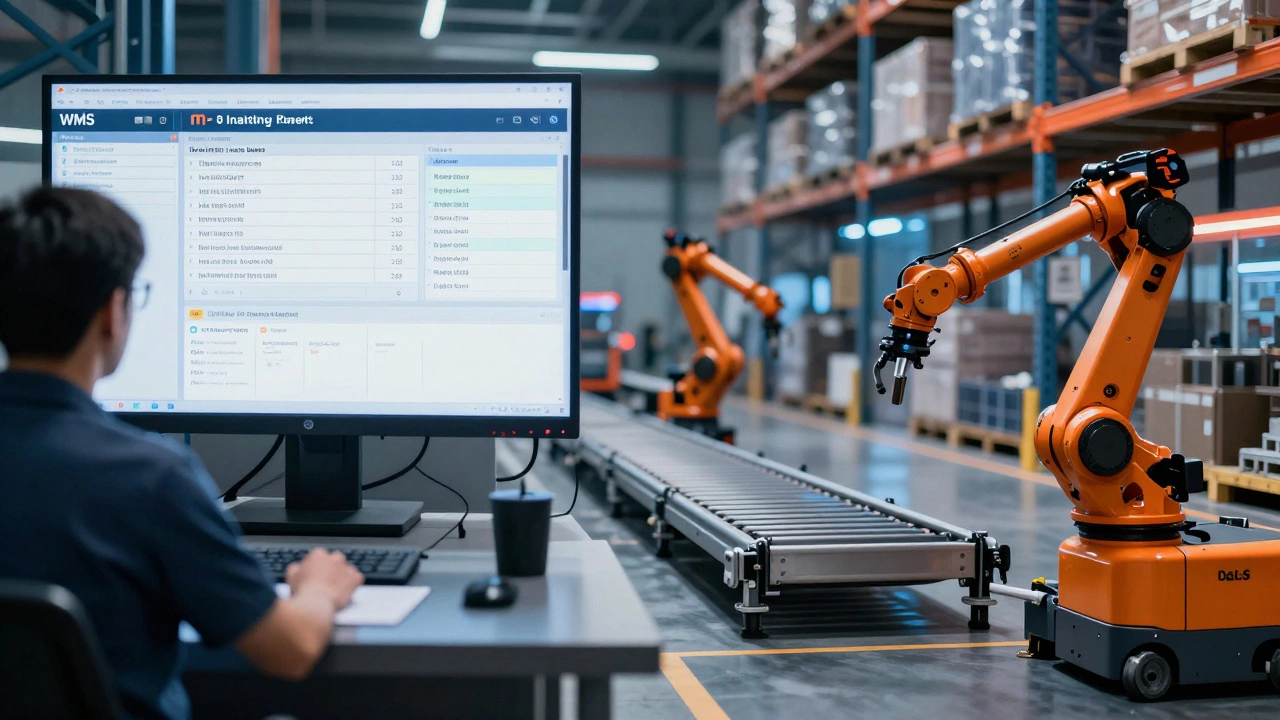
Now meet the warehouse control system, or WCS. If the WMS is the manager, the WCS is the floor supervisor. It’s the system that talks directly to your automated equipment. Think conveyor belts, sorters, robotic arms, automated guided vehicles (AGVs), and palletizers. The WCS takes the instructions from the WMS and turns them into real-time commands for machines.
For example: when the WMS says, "Send Order #4587 to Packing Station 3," the WCS figures out which conveyor to activate, which sorter to route it through, which robotic arm picks up the box, and when to trigger the label printer. It manages traffic flow. It handles delays. It reroutes items if a belt jams. It monitors equipment health and sends alerts if a motor overheats.
WCS is all about speed, precision, and coordination. It’s the reason your warehouse can process 5,000 orders an hour instead of 500. Systems like HighJump WCS, Blue Yonder WCS, and Intelligrated’s platform are built to handle high-volume, automated environments-think Amazon fulfillment centers or pharmaceutical distribution hubs.
WMS vs WCS: The Core Difference
Here’s the simplest way to tell them apart:
- WMS manages what needs to be done-inventory, orders, labor, reports.
- WCS manages how it gets done-machines, movements, timing, real-time control.
WMS is about data. WCS is about motion.
Imagine you’re ordering pizza. The WMS is the app you use to select toppings, confirm your address, and pay. The WCS is the delivery driver who knows the fastest route, avoids traffic, and makes sure the pizza doesn’t tip over on the way.
Without a WMS, you wouldn’t know what to order. Without a WCS, the pizza would never leave the kitchen.

When Do You Need One? Or Both?
Small warehouses with manual picking and basic shelving? You probably only need a WMS. A simple system like Zoho Inventory or Fishbowl can handle your inventory tracking, order fulfillment, and reporting without any automation.
But if you’ve got conveyors, sortation systems, robotic pickers, or automated storage and retrieval systems (AS/RS)? Then you need a WCS. No exceptions. A WMS alone can’t talk to a robot. It can’t optimize a 100-foot conveyor line. It can’t react when a sensor detects a jam.
Most mid- to large-sized warehouses use both. The WMS handles the planning. The WCS handles the execution. They talk to each other through APIs or middleware. The WMS sends a task. The WCS executes it and sends back confirmation: "Item picked. Location cleared. Conveyor 5 running."
Some modern platforms blur the lines. Newer WMS solutions now include basic WCS functions-like managing a few automated devices. But if your warehouse runs 24/7 with complex automation, you’ll still want a dedicated WCS. It’s built for real-time, millisecond-level control. A WMS can’t match that speed.
Real-World Example: A New Zealand E-Commerce Fulfillment Center
Take a warehouse in Auckland that ships 8,000 orders a day during peak season. They use a WMS to manage inventory across 12,000 SKUs. The system tells pickers where to go and prints labels. But they also have 15 automated sorters, 8 AGVs, and a vertical lift module that moves pallets between floors.
Without a WCS, those machines would operate in isolation. Pickers would wait for AGVs to clear paths. Sorters would back up. Orders would miss cutoff times. The WCS connects everything. It sees that 300 orders are due to ship in the next 45 minutes. It prioritizes those routes. It tells the AGVs to avoid the main aisle during peak packing. It pauses the vertical lift if a sorter is jammed. It keeps everything flowing.
That’s not theory. That’s what happens every day in modern logistics.

Common Mistakes People Make
Many businesses think: "We have a WMS, so we’re covered." Then they buy a robotic picker and wonder why it’s not working right. The robot doesn’t know what to do because the WMS can’t talk to it. That’s a $200,000 machine sitting idle because the wrong software was chosen.
Others think: "We need a WCS because we’re automated." But they forget inventory tracking. They can’t tell if they’re out of stock. They can’t generate shipping labels. They have no idea what’s in the warehouse. That’s like having a Ferrari with no GPS.
The biggest mistake? Buying software based on features alone. Ask yourself: Do I need to know what’s in stock? Or do I need to move it faster? Answer that first.
What About Integrated Systems?
Some vendors now sell "WMS/WCS hybrids." These combine inventory management with machine control. They’re great for small to medium automated warehouses. But they often lack the depth of a full WMS or the real-time precision of a standalone WCS.
If you’re a growing business with plans to scale automation, start with a strong WMS and add a WCS later. Don’t try to force a hybrid system to do everything. You’ll end up paying for features you don’t need-and missing out on ones you do.
Final Takeaway
WMS and WCS aren’t competitors. They’re teammates. One keeps track of your stuff. The other moves it. One gives you reports. The other keeps your machines running. You don’t need both if you’re manually picking boxes off shelves. But if you’re serious about speed, accuracy, and scaling your operation, you need both.
Don’t confuse the map with the journey. The WMS is your map. The WCS is your car. You need both to get where you’re going.
Can a WMS work without a WCS?
Yes, a WMS can work without a WCS-especially in manual or semi-automated warehouses. It tracks inventory, generates pick lists, and manages orders. But if you use automated equipment like conveyors, robots, or sorters, the WMS can’t control them. Without a WCS, those machines won’t know what to do or when to do it.
Can a WCS work without a WMS?
Technically yes, but it’s not practical. A WCS controls machines, but it doesn’t know what inventory you have, which orders to fulfill, or when to stop. It needs input from a WMS-or another order management system-to know what tasks to execute. Without it, the WCS is just a fancy controller with no purpose.
Do I need both if I’m a small warehouse?
Probably not. If you’re picking orders by hand, using basic shelving, and shipping fewer than 200 orders a day, a simple WMS like Zoho Inventory or Sortly is enough. Adding a WCS would be overkill and expensive. Wait until you add automation before considering a WCS.
What happens if my WMS and WCS don’t communicate well?
Delays, errors, and bottlenecks. Orders might get stuck in the system. Pickers might go to the wrong location. Automated equipment might stop because it’s waiting for a command that never came. Integration issues between WMS and WCS are a leading cause of warehouse downtime. Always check API compatibility and test integration before going live.
Are there any all-in-one solutions that combine WMS and WCS?
Yes, some vendors offer integrated platforms like Blue Yonder, HighJump, or Manhattan’s newer offerings. These work well for small to medium warehouses with light automation. But if you’re running a high-volume, multi-shift operation with complex automation, standalone WCS systems still offer better performance, scalability, and real-time control.